Tutorials
The proliferation of artificial intelligence agent ecosystems introduces an expanded attack surface, making robust security measures paramount. The OpenClaw Security Scanner emerges as a critical infrastructure component, shifting the paradigm from implicit trust to empirical analysis of third-party automation skills. This foundational tool empowers developers to meticulously audit skill behaviors prior to execution, ensuring secure deployments in production environments.
This comprehensive guide delves into the integration and mastery of the OpenClaw Security Scanner, a static analysis utility designed to scrutinize external automation capabilities. Readers will gain insights into its pattern detection mechanisms, learn to configure bespoke whitelists, decipher risk scoring, and forge secure skill management protocols for operational settings. The tutorial also addresses essential prerequisites, such as Node.js 16+, an OpenClaw environment (version 2.0 or later with skill management enabled), familiarity with the SKILL.md structure, access to the local ~/.openclaw/skills/ directory, and a preferred text editor or IDE for reviewing outputs and managing configurations.
The OpenClaw Security Scanner is an indispensable tool for safeguarding AI agent ecosystems. This guide provides a comprehensive walkthrough on installing and configuring the scanner, understanding its risk assessment framework, and integrating it into development and deployment workflows. It covers interpreting severity levels from LOW to CRITICAL, implementing custom security configurations to minimize false positives, and conducting pre-installation scans and batch audits across existing skill libraries. The emphasis is on proactive security, enabling developers to objectively analyze third-party skills before they pose a threat to production environments. Through practical steps and best practices, users will learn to leverage the scanner for identifying suspicious patterns, dangerous APIs, and risky file system operations, thereby establishing a secure and trustworthy AI automation environment.
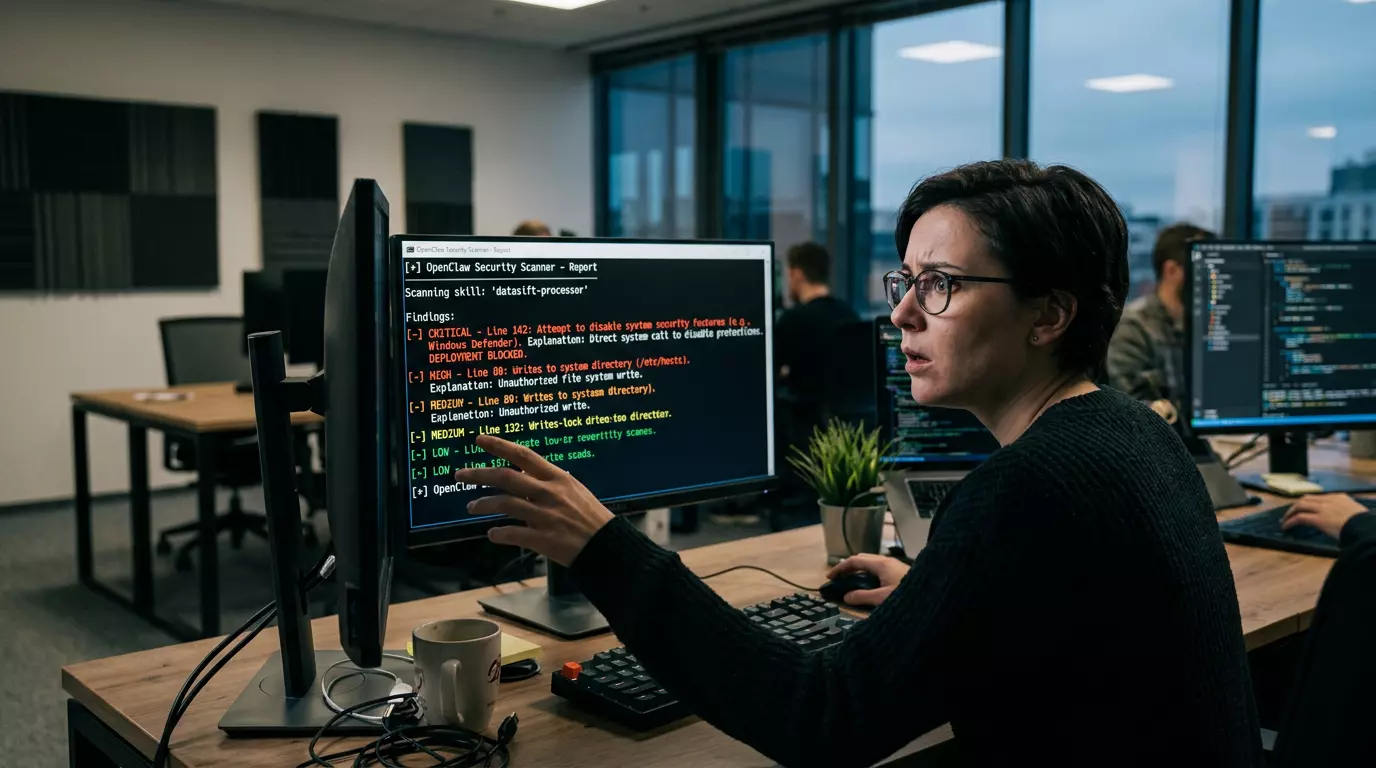
To begin securing your AI agent deployments, the OpenClaw Security Scanner, maintained by anikrahman0, can be installed either directly through your OpenClaw agent, which automatically manages dependencies and placement, or manually via command line by cloning its official repository. Post-installation, verifying functionality involves a test scan on the scanner's own documentation, where a "SCAN_OK" message confirms operational readiness. The scanner assigns risk scores across four severity bands: LOW for informational flags, MEDIUM for suspicious patterns warranting investigation, HIGH for dangerous operations suggesting malicious intent, and CRITICAL for actions that severely compromise security. Understanding these levels is crucial for deciding on skill installation or rejection. For instance, while LOW flags might be common for legitimate tools, HIGH and CRITICAL findings typically demand immediate rejection or extensive clarification from the skill author. This process ensures that potential threats are identified and addressed early, preventing risky skills from being deployed without due diligence. By creating custom .security-scanner-config.json files, users can whitelist trusted domains and legitimate patterns, significantly reducing false positives and streamlining the security review process. These configurations are essential for adapting the scanner's sensitivity to an organization's specific operational context, ensuring that necessary integrations with cloud APIs or legitimate system monitoring activities are not unduly flagged as risks.
Beyond initial setup, the OpenClaw Security Scanner supports advanced practices such as batch auditing and CI/CD pipeline integration, crucial for maintaining security posture in dynamic AI environments. This section details how to conduct comprehensive scans of existing skill libraries to identify accumulated risks and how to automate security checks within deployment pipelines. It also emphasizes the importance of manual review, decision documentation, and maintaining an audit log for compliance and post-incident forensics. Best practices, including conservative whitelisting, version control for configurations, monthly audits, and differential thresholds for development versus production, are discussed. The guide concludes with an exploration of scanner limitations, such as its reliance on pattern matching over semantic analysis, the inevitability of false positives, and the absence of runtime protection, reinforcing that the scanner is a decision support tool that complements, rather than replaces, human judgment and vigilance.
For organizations with extensive skill libraries, batch auditing is a critical practice to retrospectively identify and mitigate security risks. The OpenClaw Security Scanner facilitates this through its batch mode, allowing for comprehensive scans across all installed skills and outputting structured results for analysis and compliance. Integrating this scanning capability into CI/CD pipelines further automates security, preventing risky skills from reaching production without human oversight. An example GitHub Actions workflow demonstrates how to incorporate the scanner to fail builds upon detecting critical issues, enforcing a proactive security stance. While automated scanning is powerful, manual review remains indispensable. Human judgment is necessary to differentiate between benign operations and malicious intent, especially for MEDIUM flags where context is key. Documentation of all decisions, including approval or rejection rationales, in a searchable audit log is vital for governance, re-evaluation, and forensic analysis. Best practices such as treating scan reports as starting points rather than definitive verdicts, maintaining a conservative whitelist, version controlling configurations, conducting monthly batch audits, and escalating high-risk findings to security teams are paramount. Recognizing the scanner's limitations—it performs pattern matching, not semantic analysis, and cannot offer runtime protection—is crucial. False positives are inherent in its design, serving as a feature to prevent false negatives. The scanner is a foundational component for responsible AI agent automation, empowering developers to make informed decisions and build trust within their skill ecosystems through continuous vigilance and iterative security improvements. Regularly updating the scanner, contributing feedback to the community, cross-training teams on security practices, tracking emerging threats, and considering skill sandboxing are next steps towards a more secure AI agent ecosystem.